

Analytics and admin stats
Open Bio Page uses PostHog for two independent jobs, and both are optional. The public site can send visitor events to a PostHog project, and the admin API can read those events back to fill the Stats tab at /admin. Without PostHog the site still builds and serves every profile, and the Stats tab shows the error "PostHog not configured (set POSTHOG_PROJECT_ID and POSTHOG_READ_KEY)" with every figure at 0.
What gets recorded
The site captures nothing until the visitor accepts the analytics category in the cookie banner. PostHog starts with capturing turned off (opt_out_capturing_by_default) and stores that state in localStorage. Accepting analytics calls opt_in_capturing and rejecting it calls opt_out_capturing. A later change in the cookie preferences triggers the same calls. PostHog creates person profiles only for identified users (person_profiles: 'identified_only'). The cookie banner and the policy pages at /privacy and /cookie-policy ship with the app.
PostHog loads only when VITE_POSTHOG_KEY was set at build time. Analytics start once the browser is idle, through requestIdleCallback with a 2500 ms timeout. The example sites under docs/public/examples, and any build with VITE_DEMO_INSTANCE=true, skip the cookie banner and analytics entirely.
The app sends these custom events through its track() helper:
| Event | When it fires | Properties |
|---|---|---|
page_view | Once per page load, when analytics start | page_path, page_title, page_location |
link_click | A visitor clicks a profile link, a social icon, the website card (link_id website_card) or the license link (license), or the avatar (avatar) or name (name) when the profile has a site URL | link_id, link_url, location (always social), bio |
home_open_bio | A visitor opens a profile from the directory home | bio |
share_open | A visitor opens the share panel on a profile | location, bio |
share_native | A visitor shares the profile through the device share sheet | location, bio |
export_download | A visitor downloads an image from a profile's export page at /<slug>/export | bio, format, size, background, cornerRadius, border |
export_share | A visitor shares an exported image through the device share sheet | bio, format, size, background, cornerRadius, border |
PostHog also records its own $pageview event and autocapture events, because the site initializes it with capture_pageview and autocapture turned on.
Set up PostHog
Create a project in PostHog Cloud and note its region, EU or US. The region decides both hosts in the tables below.
Copy the project token and the numeric project ID from the project settings. The token starts with
phc_and appears as "Project token" under Settings > Project > General.In your user settings, under Personal API keys, create a personal API key with the "Query Read" permission. The admin API uses this key to run queries, so keep it secret.
Set the site variables. Vite ships every
VITE_*value to the browser, so these hold only public values.Name Value Where VITE_POSTHOG_KEYThe project token, phc_….env.localfor local builds (copy.env.example), or an Actions Variable on a forkVITE_POSTHOG_HOSThttps://eu.i.posthog.comfor EU Cloud, which is also the value used when the variable is unset or empty. US Cloud projects must sethttps://us.i.posthog.com.env.local, or an Actions Variable on a forkVITE_GTM_IDOptional Google Tag Manager container ID .env.local, or an Actions Variable on a fork.github/workflows/deploy-site.ymlpasses all three from the Actions Variables to the build. Vite reads these values at build time, so a change takes effect only after a new deploy of the site.Set the admin API values. The table shows where each one goes on Cloudflare.
Name Value Secret Where POSTHOG_HOSThttps://eu.posthog.com(the default) orhttps://us.posthog.com, never the.i.ingestion hostNo [vars]inworker/wrangler.tomlPOSTHOG_PROJECT_IDThe numeric project ID No [vars]inworker/wrangler.tomlPOSTHOG_READ_KEYThe personal API key with Query Read Yes bunx wrangler secret put POSTHOG_READ_KEY, or the Actions secretPOSTHOG_READ_KEY, which.github/workflows/deploy-worker.ymluploads on each deployFor local development, put all three in
worker/.dev.vars(copyworker/.dev.vars.example). The other providers read the same names from their environment settings, as described in Serverless providers.Redeploy the site and the admin API.
Check that it works
- Open the deployed site, accept analytics in the cookie banner, then open a profile and click one of its links.
- In PostHog's activity view, look for a
$pageviewevent and alink_clickevent from your visit. - Sign in at
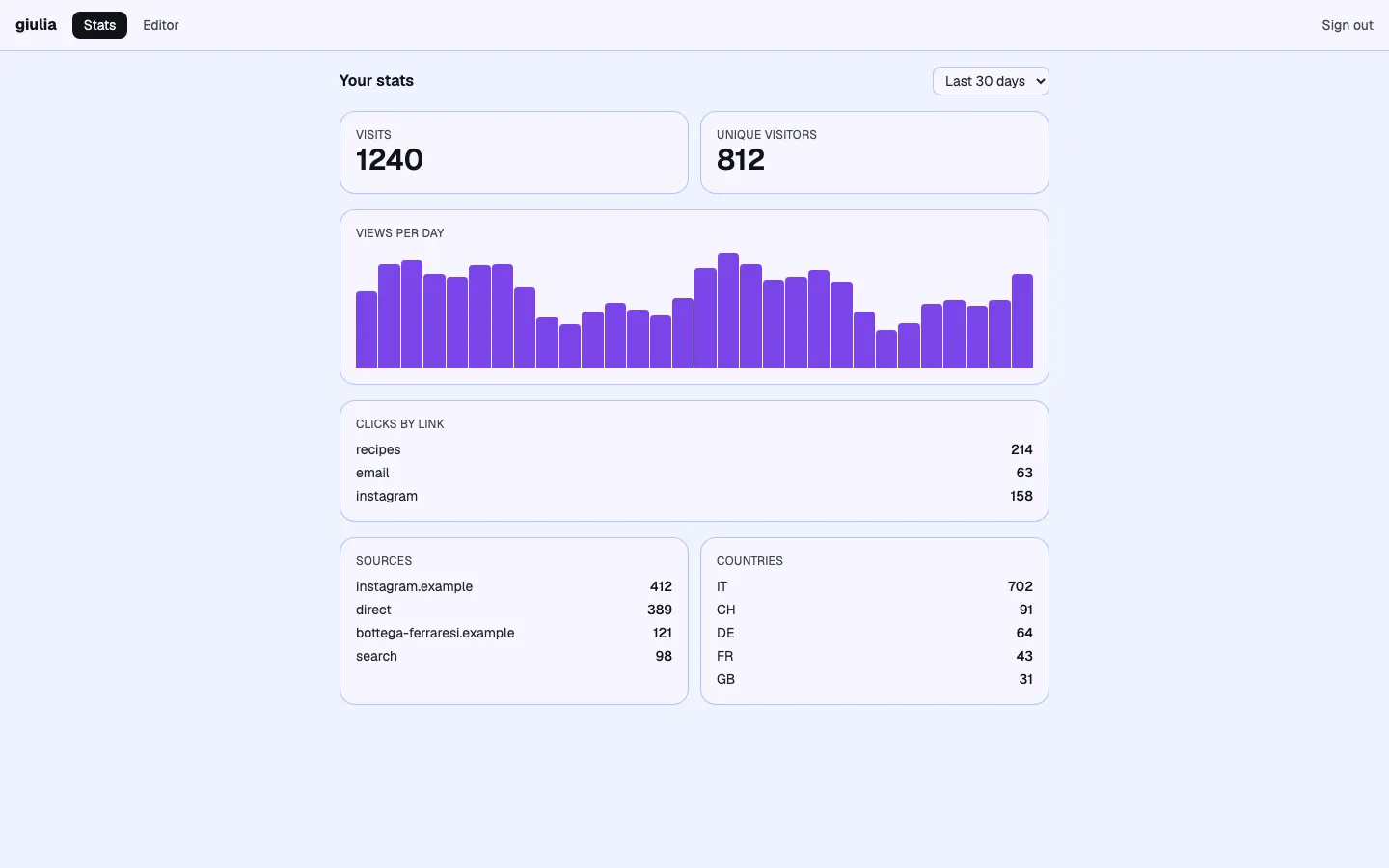
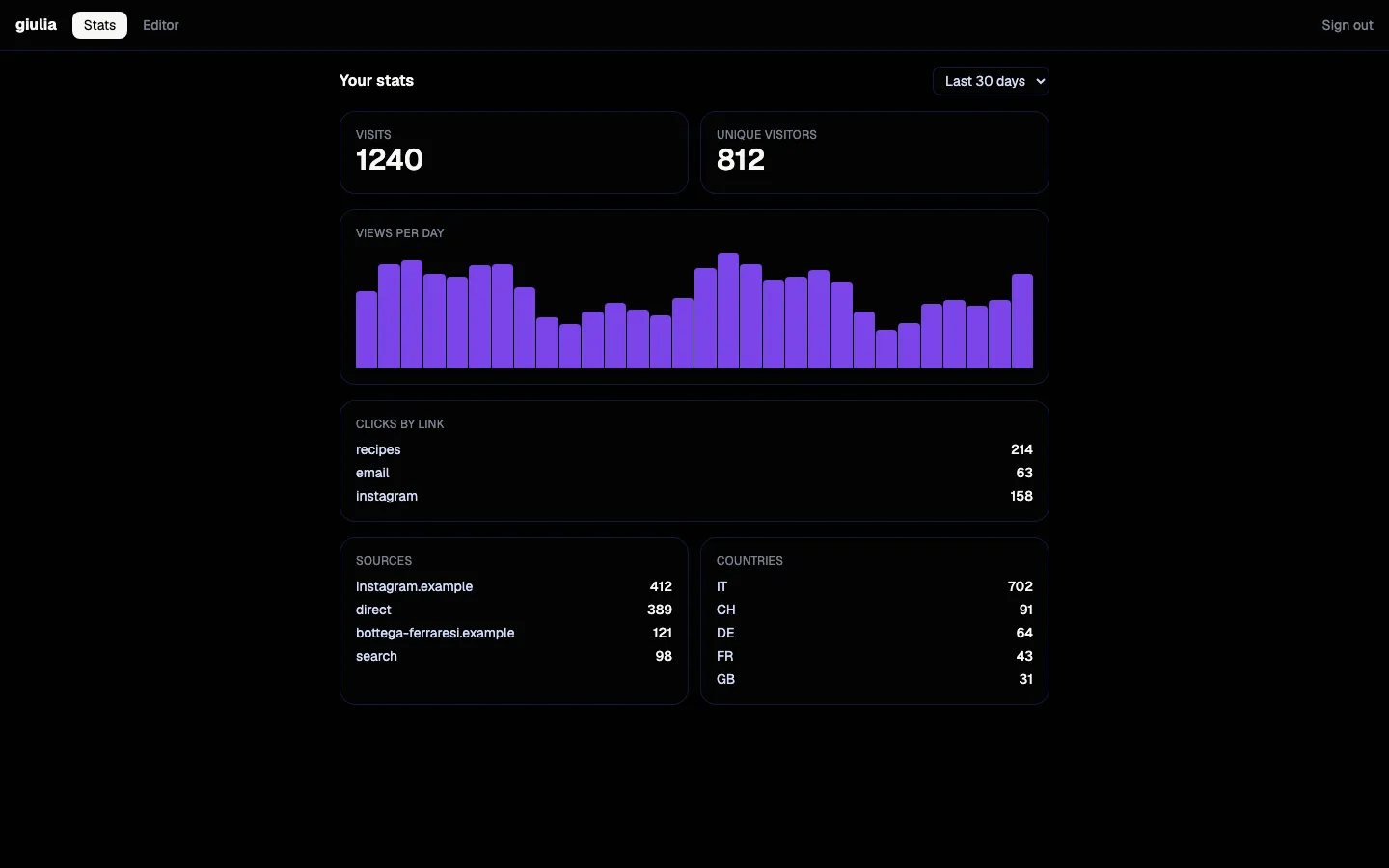
/adminand open the Stats tab. The visit counts toward visits, and the link appears under clicks by link.
How the Stats tab counts
The Stats tab offers three ranges, Last 7 days, Last 30 days and Last 90 days, and calls GET /stats?range=N on the admin API with the chosen number of days. The API clamps the range to 1 to 365 days, then runs HogQL queries through POST {POSTHOG_HOST}/api/projects/{POSTHOG_PROJECT_ID}/query/ with Authorization: Bearer {POSTHOG_READ_KEY}. It retries a query up to twice when PostHog answers with a 5xx status or 429. The queries run live each time the admin page loads and each time you change the range.
Every figure covers only the slug of the signed-in user:
- Visits counts
$pageviewevents whose$pathnameends with/<slug>,/<slug>/or/<slug>.html, so only the profile page itself counts, and neither/<slug>/exportnor another profile whose slug starts with the same letters. - Uniques counts the distinct
distinct_idvalues among those pageviews. - Views per day groups the same pageviews by day.
- Clicks by link counts
link_clickevents whosebioproperty equals the slug, grouped bylink_id, and lists the top 50. - Sources groups the pageviews by
$referring_domain, shows an empty referrer as$direct, and lists the top 10. - Countries groups the pageviews by
$geoip_country_name, uses "Unknown" when the country is missing, and lists the top 10.
Troubleshooting
| Symptom | Cause | Fix |
|---|---|---|
| The Stats tab shows "PostHog not configured (set POSTHOG_PROJECT_ID and POSTHOG_READ_KEY)" (HTTP 503) | The admin API is missing POSTHOG_PROJECT_ID, POSTHOG_READ_KEY, or both | Set both values and redeploy the admin API |
| The Stats tab shows "PostHog query failed (401)" or "(403)" (HTTP 502) | The key is wrong, lacks the Query Read permission, or POSTHOG_HOST points at the other region | Create a key with Query Read and set POSTHOG_HOST to the host of the project's region |
| The Stats tab loads, but every number is 0 | No visitor has accepted analytics yet, VITE_POSTHOG_KEY was not set when the site was built, or the site was not rebuilt after you set it | Accept analytics on a profile yourself; if no events reach PostHog, set VITE_POSTHOG_KEY and redeploy the site |
The Stats tab shows "PostHog query failed" and POSTHOG_HOST contains .i. | POSTHOG_HOST holds the ingestion host (https://eu.i.posthog.com or https://us.i.posthog.com) where the admin API needs the app host | Set POSTHOG_HOST to https://eu.posthog.com or https://us.posthog.com |
Google Tag Manager (optional)
When VITE_GTM_ID is set at build time, the site loads Google Tag Manager with that container ID once the browser is idle. Before that, the cookie banner sets the Consent Mode v2 defaults, which deny analytics_storage, ad_storage, ad_user_data, ad_personalization and personalization_storage. After the visitor makes a choice, the site sends a Consent Mode update and then pushes a cc_consent_update event to window.dataLayer, with cc_analytics and cc_advertisement set to true or false, so GTM triggers can react to the choice. The track() helper pushes every custom event from the table above to window.dataLayer as well, under the same names that PostHog receives.